

Designing Templates
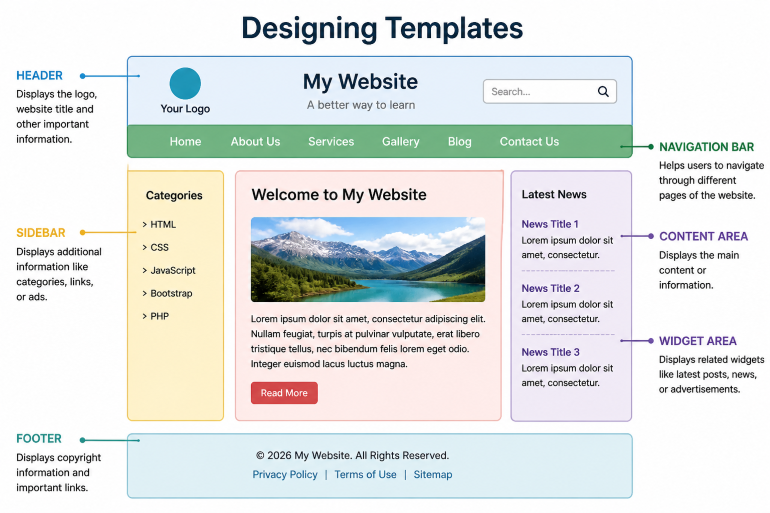
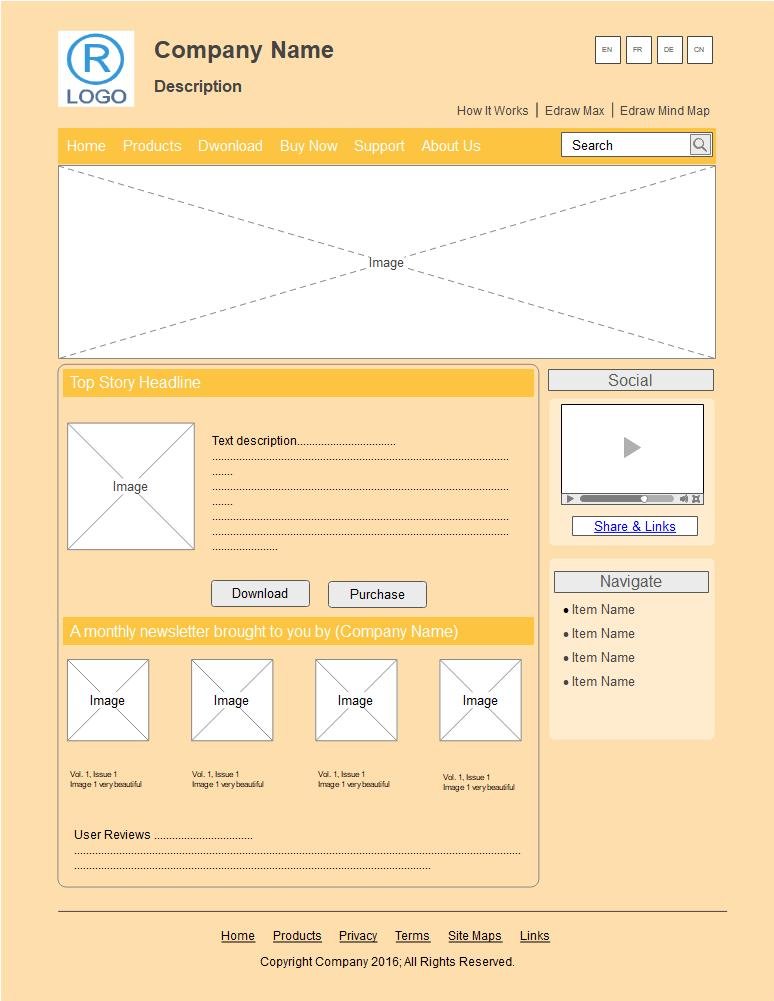
Designing templates means creating a pre-structured layout for websites so that information is displayed in a clear and organized way. A template defines the basic structure of a webpage, including sections like header, navigation menu, content area, and footer. It helps developers maintain a consistent design across multiple pages.
Templates improve the user experience by making websites easy to read and navigate. They allow proper placement of text, images, and other elements, ensuring that the content looks clean and professional. Templates are also responsive, meaning they adjust to different screen sizes like mobile, tablet, and desktop devices.
Using templates saves time and effort because the same layout can be reused for many pages. Developers can update the design in one place, and changes will reflect across the entire website. Templates are commonly built using HTML for structure and CSS for styling, making websites more efficient and visually appealing.
“HTML embedded in code is messy and difficult to maintain. It's better to use a templating system, where the HTML is kept in a separate file with special syntax to indicate where the data from the application appears.”